The tour
What it is
One always-on-top surface pinned to the top edge of the screen. In hover mode it grows under the pointer and collapses 90 ms after the pointer leaves. Prefer a still desktop? Disable hover, use the player-only pill, and click empty pill space only when the full panel is wanted.
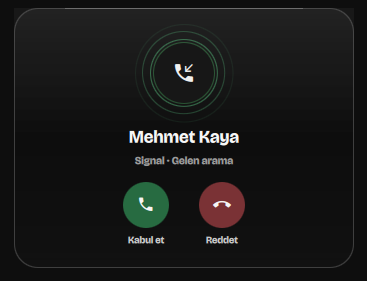
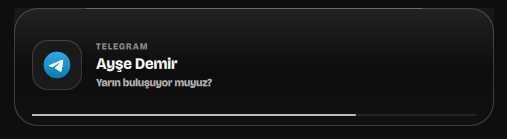
Notifications, incoming calls, and microphone or camera activity take the surface over on their own and hand it back when they are done. Everything is drawn in greyscale, with the sole exception of the green and red on a call's answer and decline buttons — the two controls where guessing wrong actually costs you something. It's the only colour on this entire page too.
Changelog · latest
What changed most recently
Every release is written down as it lands — what changed, why, and what it looks like.
Every state
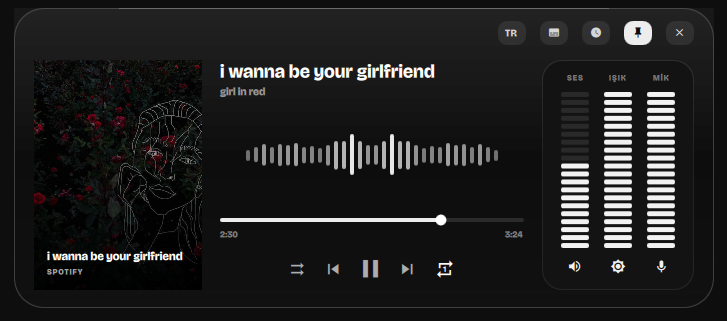
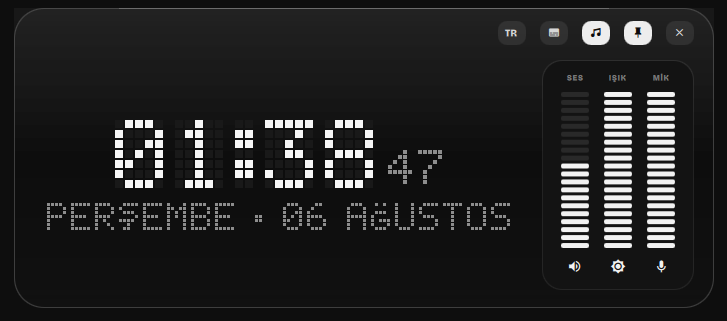
One surface, eleven shapes. Captured live, and shown here the way it
actually behaves — a rail of states, not a scroll of unrelated pictures.
The interface ships in English and Turkish and switches between them at
runtime — every string lives in Strings.qml, so a third
language is one branch per line away.

cava.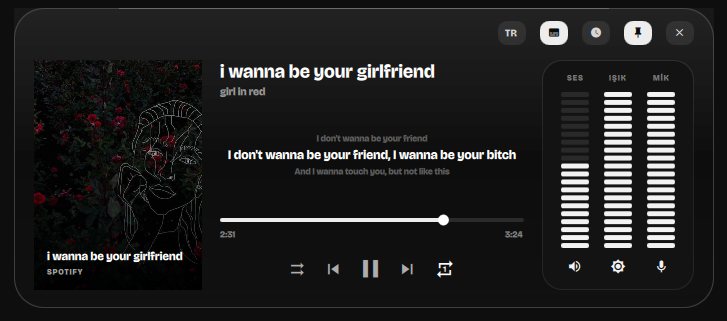

What is in it
- MPRIS media
- Cover art, scrubbing, shuffle and repeat, previous/play/next. Transport buttons apply optimistically, so the panel reacts on click instead of waiting for the next poll.
- Spectrum analyser
- Real band data from
cava, mirrored around the centre and drawn across the collapsed pill too. Live follows cava frame-for-frame; Wave and Calm reshape it and provide a synthetic fallback. - Settings and themes
- Seven themes — Black, Umbra, Gray, White, Gold, Amber and Red — with contrast-safe text, plus live controls for clock style, language, hover behaviour, mini-player mode and animation visibility. The settings window wears whichever you pick, and crossfades between palettes rather than cutting.
- Player-only pill
- Disable hover expansion and the collapsed island can keep only cover, title and previous/play/next. Clicking its empty surface opens the full panel.
- YouTube artwork
- Watch, Music, Shorts, Live, Embed and
youtu.beURLs resolve to quality-checked thumbnails. Tiny placeholders are rejected and successful images are cached locally. - Pixel-art clock
- A 5×7 glyph table rendered to a canvas, with vertical digit rolls and Turkish Ç/Ğ/İ/Ö/Ş/Ü included.
- Time tools
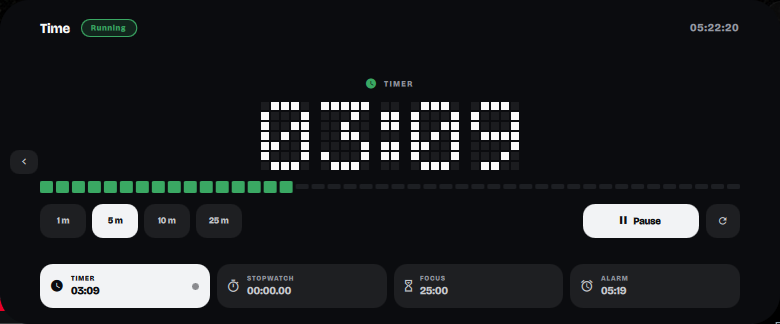
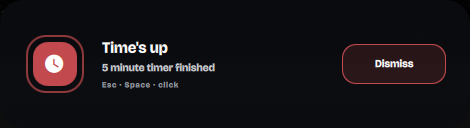
- Timer, stopwatch with laps, focus/break cycle and alarm, sharing one stage and one set of controls. Countdowns tick per second; the stopwatch is elapsed-time based, because it is the one readout showing hundredths, where drift would show. Completion changes the island's shape and plays a chime, and stays up until it is actually answered — a timer that finished while nobody was watching has not been acknowledged. A tool left running keeps a capsule on the collapsed pill, amber and quickening inside the last minute.
- Synced lyrics
- MPRIS has a lyrics field that essentially nothing fills in — Spotify reports it as an empty string — so lines come from LRCLIB, which needs no account or key. Fetched once per track and cached on disk, misses included, so a track without lyrics is not looked up again on every play. Nothing is fetched on the poll path.
- Calls
- An incoming call is recognised from the notification's own accept/decline actions, and answering or declining invokes those actions rather than faking input at the app. Whether a call is live is inferred from PipeWire instead — an app holding a playback and a capture stream at once is, by construction, mid-call — which is what makes the timer honest and covers calls answered on another device.
- Inline reply
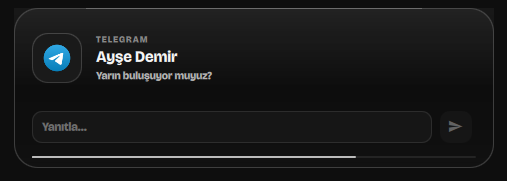
- Notifications carrying an
inline-replyaction get a field and a send button, wired to the freedesktop reply signal. - English and Turkish
- Switchable from a chip in the panel or over IPC, and remembered across restarts. With no saved choice it follows
QS_ISLAND_LANG, then the session locale. Strings live in one file rather than inline, so nothing silently stays untranslated. - Device indicators
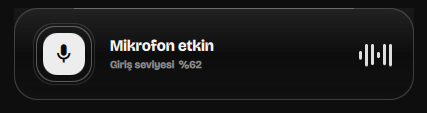
- PipeWire microphone and V4L2 camera use raise a card the moment either starts or stops.
- Meters
- Volume, brightness and microphone gain as draggable segment bars, over
wpctlandbrightnessctl. - Per-app volume
- One fader per app that makes noise, grouped by app rather than by stream — a browser with four tabs is one row.
- Up next
- The queue the player reports, as a panel you can read. Marked experimental because most players never report one.
- Battery
- Level, charge state and time-to-empty from sysfs and UPower, tucked into the collapsed pill.
- Stays out of the way
- Hides completely when the focused window goes fullscreen, and returns when it leaves.
Install
$ git clone https://github.com/lunanoir21/quickshell-dynamic-island.git
$ cd quickshell-dynamic-island
$ chmod +x backend.sh
$ quickshell -p ./Main.qml

# or drop it into an existing config and instantiate
# DynamicIslandModule.DynamicIslandHost {}
git clone https://github.com/lunanoir21/quickshell-dynamic-island.git
cd quickshell-dynamic-island
chmod +x backend.sh
quickshell -p ./Main.qml
Needs Quickshell 0.3+, a wlroots compositor with layer-shell, jq
and a Nerd Font. playerctl, wpctl,
brightnessctl, cava, curl (lyrics
lyrics and browser thumbnails), pactl (call detection) and upower are all
optional — anything missing leaves its section empty rather than failing.
Two rules it is built on
Looping animations never bind straight to a visual property.
Each one drives a resettable number and returns it to a known resting value
when it stops. Writing SequentialAnimation on opacity with
infinite loops freezes the property wherever the loop happened to be when
its condition went false, which leaves half-faded rings and stalled bars on
screen.
A Behavior is only for smoothing discrete input.
It smooths cava's 30 Hz samples. Put one on a value that already changes
every frame and it just retargets the animation before it can go anywhere,
flattening the spectrum into a motionless row of stubs.