Hyprland · Quickshell · OCR
Select text on your screen, like Google Lens.
Press a key, drag a box around any text (a video, an image, a PDF, a terminal) and scribe reads it. The text stays where it is. Drag over it, press Copy.
$ git clone https://github.com/lunanoir21/scribe && cd scribe && ./install.sh --patchThis is a mock-up in your browser. The real thing runs on your Hyprland desktop.
Screenshots
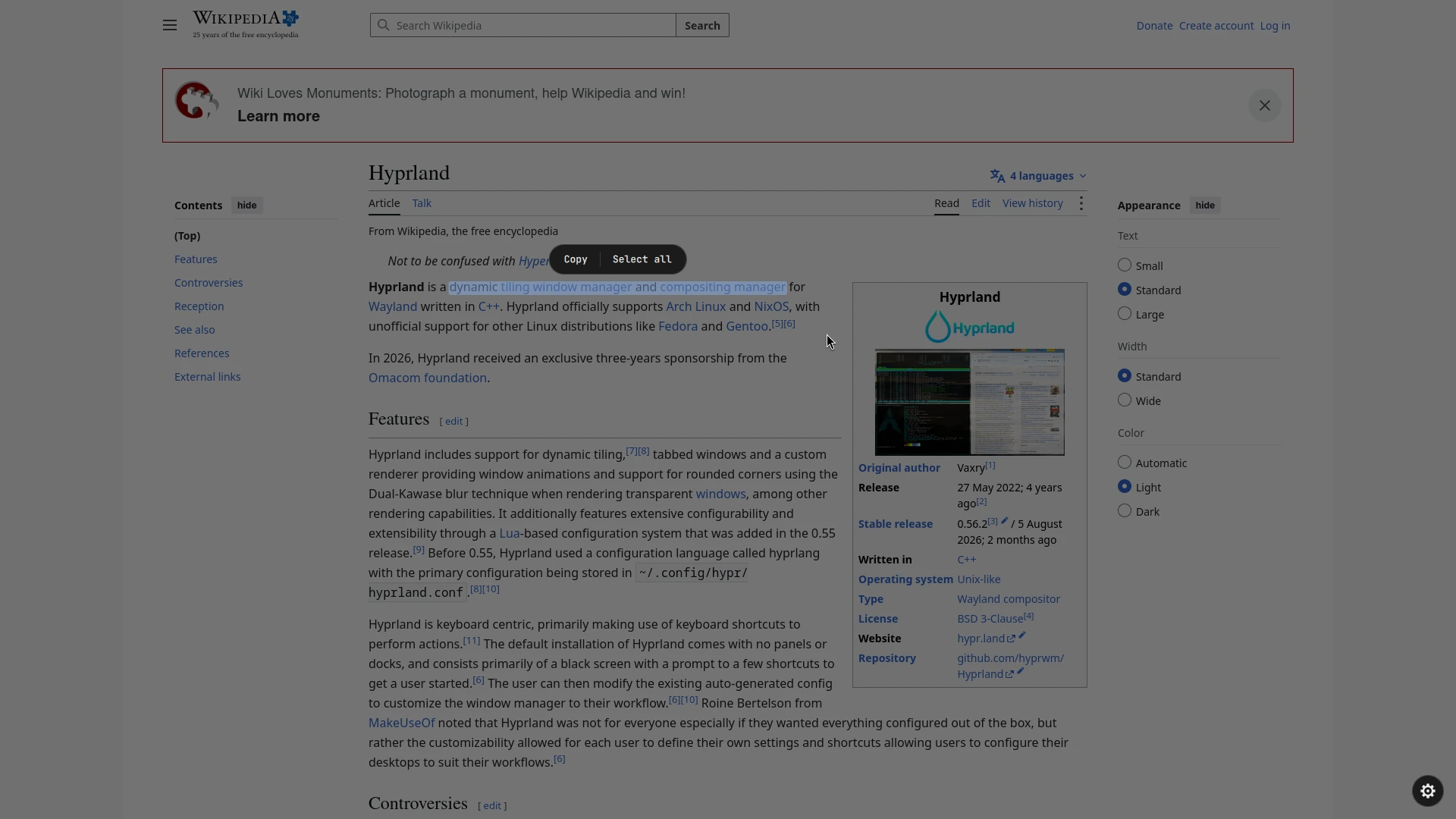
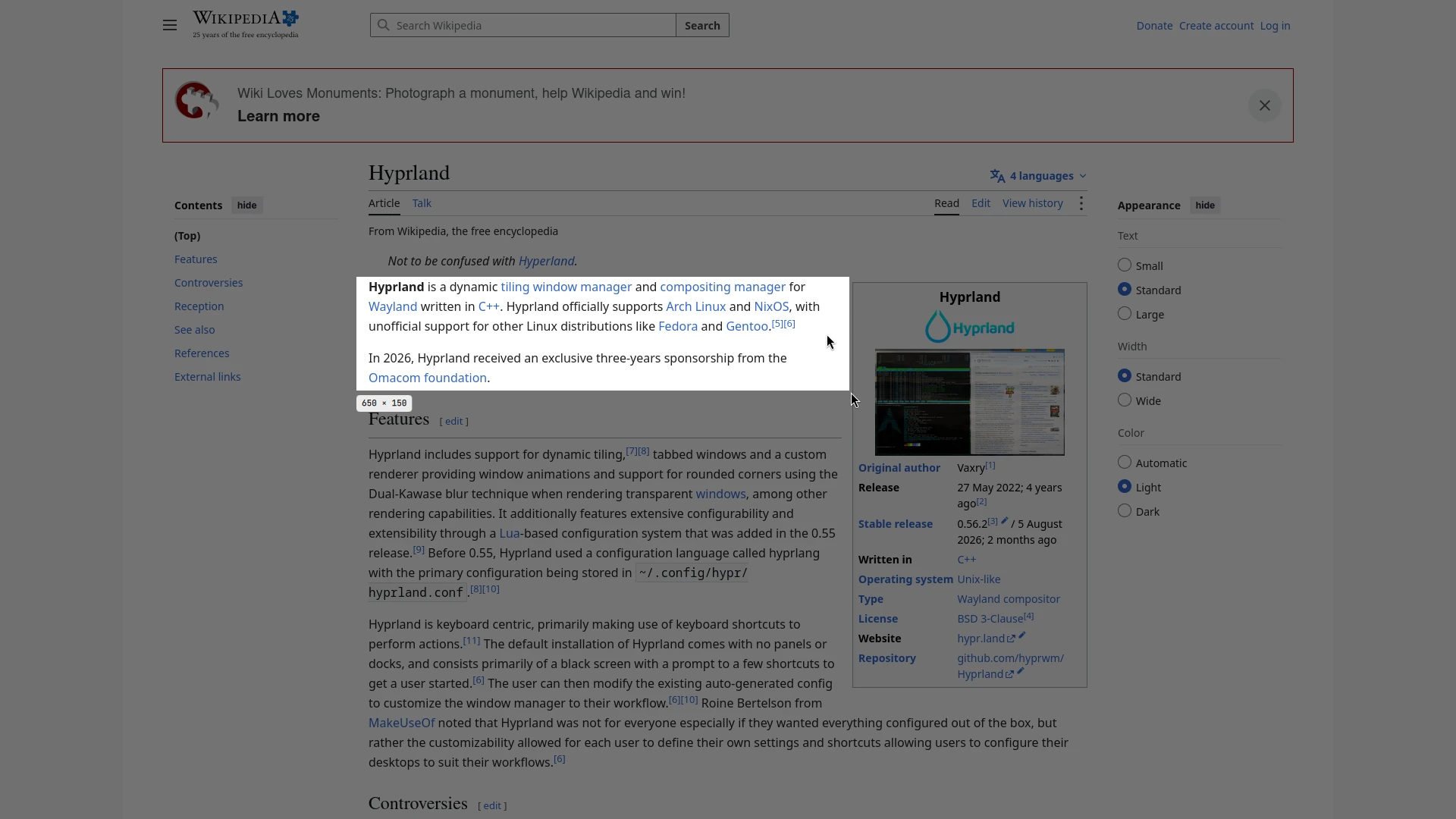
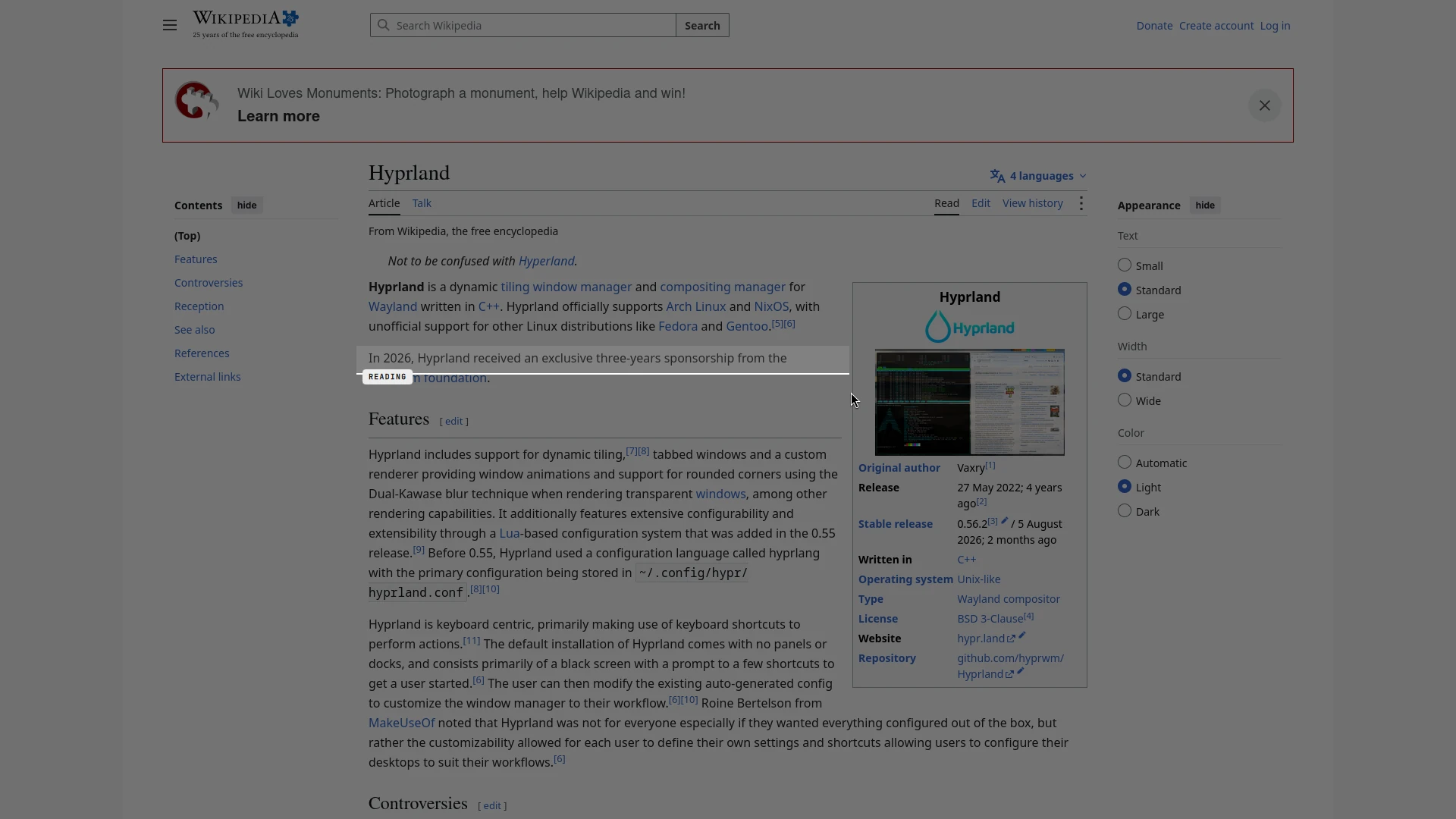
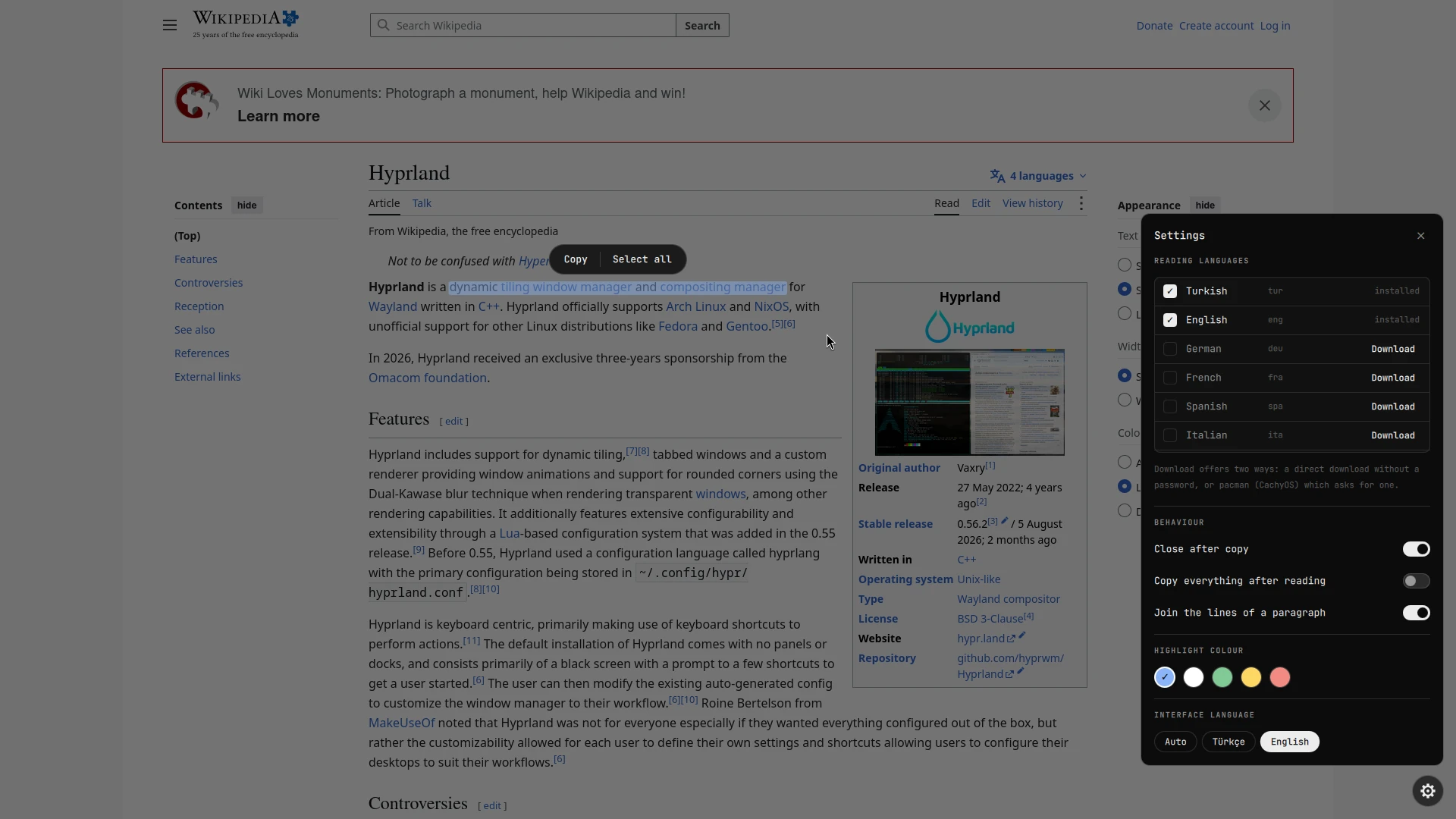
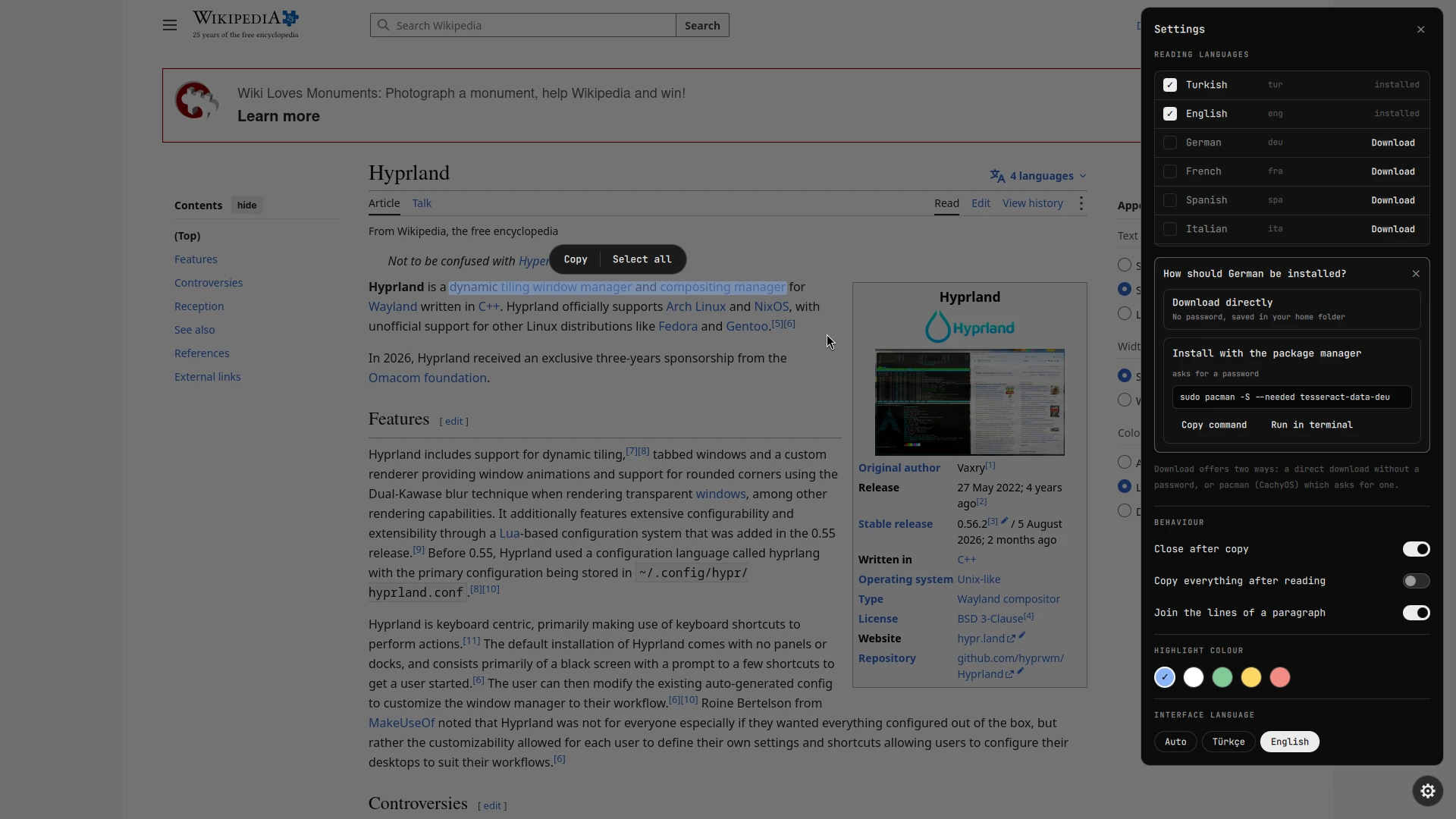
The real thing, on the Hyprland wiki page.
Captured on an empty workspace with a clean Firefox profile, reading Wikipedia's Hyprland article. Switch the language above and the screenshots switch too.
Features
Built to disappear.
Your text stays put
No re-drawn copy, no boxes over the content. Dragging draws a soft highlight per line, exactly like selecting real text.
Fast on every core
The selection is cut into strips at blank rows and each strip is read by its own Tesseract. A full 1080p screen takes about a second.
One window
Picker, scan animation and result share one layer-shell window, so nothing flickers between steps.
Dark themes just work
Light text on a dark background is inverted before reading. Small selections are read at 2x, shaky reads are retried once.
Languages from settings
A gear opens settings. For a missing language you pick: download it straight into your home folder, or install it with your package manager.
Translate, when you ask
Off until you switch it on. Then a Translate button appears: a side-by-side card or the translation painted right over the text, offline or online.
Dictionary and smart actions
Hover a word for its meaning. Links, e-mail addresses, phone numbers and IBANs in the text become buttons.
Reversible install
The installer backs files up and wraps its edits in marker comments. --uninstall puts everything back.
How it works
Five steps, one key.
grim
The key bind runs qs ipc call scribe start. The focused output is captured and shown frozen.
ScribeLens
You drag a region. A sweeping line shows the read is running.
ocr.py
Crop, invert dark themes, cut into strips at blank pixel rows, one tesseract process per strip, merge the word boxes.
Select
Words are laid back over the screen where they were found. Drag to select, a toolbar floats above.
wl-copy
Copy puts the selected text on the clipboard and closes the overlay.
Install
Two minutes.
You need Hyprland, Quickshell, grim, wl-clipboard, tesseract and Python with numpy and pillow.
# Arch (Debian: apt install grim wl-clipboard tesseract-ocr python3-numpy python3-pil)
sudo pacman -S grim wl-clipboard tesseract tesseract-data-eng python-numpy python-pillow
git clone https://github.com/lunanoir21/scribe
cd scribe
./install.sh --patch # adds the import, the host and Super+Shift+T
On Omarchy, install it as a shell plugin instead: omarchy plugin add https://github.com/lunanoir21/scribe-omarchy.git --enable
Without --patch the script only copies the files and prints the lines to add. Run ./install.sh --uninstall to remove everything it added.
Translation
Translate what you read. Only when you ask.
Translation is off by default. Switching it on in the settings shows a warning first: what it downloads, what it may send, how much memory it uses. While it is off nothing is downloaded, loaded or run.
Offline or online
Offline (English and Turkish) runs on your machine and nothing leaves it. Online covers 14 languages through MyMemory and asks before it sends a word.
Card or in place
The card shows original and translation side by side and lets you fix a misread word. In place paints the translation over the text, sized to fit.
Light on memory
The model loads when you press Translate and is released after two idle minutes. Pinned packages and SHA-256 verified models, in an isolated environment.
Languages
Install them from the overlay.
After a scan, click the gear in the bottom-right corner. Tick the languages to read with. A language you do not have shows a Download button with two options. Download directly needs no password. Install with the package manager shows the command for your system, with buttons to copy it or run it in a terminal:
| Distro | Command shown (needs a password) |
|---|---|
| Arch, CachyOS, Manjaro | sudo pacman -S --needed tesseract-data-<code> |
| Debian, Ubuntu, Mint | sudo apt-get install -y tesseract-ocr-<code> |
| Fedora, RHEL | sudo dnf install -y tesseract-langpack-<code> |
| Alpine | sudo apk add tesseract-ocr-data-<code> |
| Anything else | only the direct download, into ~/.local/share/scribe/tessdata |
scribe never asks for your password itself. The package manager command runs in your own terminal, and the direct download needs no root at all.